SCIEX OS Software
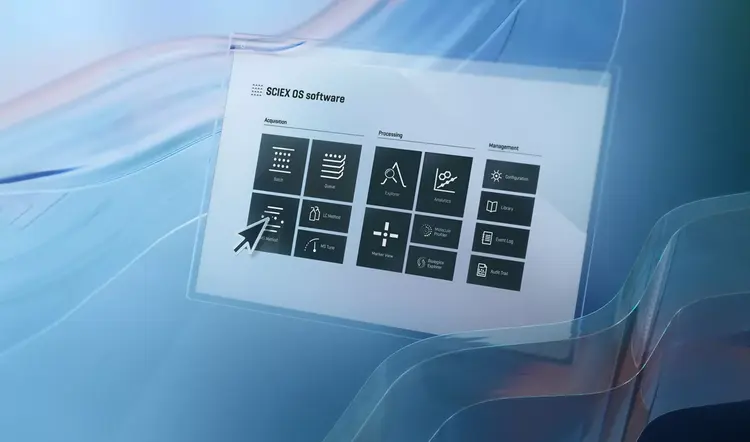
The next generation of operating system for enhanced LC-MS/MS analysis. It’s available on our compact, easy-to-use, high resolution, accurate mass X-series QTOF systems.
Software to power your SCIEX Ecosystem
Engineered to do more. Faster.
The integrated software platform solution for all SCIEX innovations; SCIEX OS software delivers data integrity, seamless usability and efficiency gains for your mass spectrometry workflows throughout your laboratory. Built on advanced and sophisticated algorithms, SCIEX OS software facilitates instrument control and automated data processing, simplifying your workflows and empowering swift, well-informed decision-making.
- MarkerView software integration
- Scout triggered MRM (stMRM)
- Central Administrator Console
- Internationalization
- Zeno SWATH DIA integration
Capabilities
Processing Acquisition
- Batch
- Queue
- MS Method
- LC Method
- MS Tune
- MarkerView
Management Processing
- Explorer
- Analytics
- Molecule Profiler
More efficient
Increase your productivity. Consistently deliver high-quality, actionable data from your mass spectrometry workflows with easy-to-learn SCIEX OS software.
Improved usability
Create an integrated experience across any and all of your SCIEX instruments (including SCIEX Triple Quad, QTRAP and QTOF systems).
Greater integrity
The accuracy, precision and stability of SCIEX OS software helps ensure your data quality—batch after batch and throughout every stage of your MS workflow—remains uncompromised.
Central Administrator Console
Control, manage and audit
Laboratories with multiple instruments can now use the SCIEX OS software Central Administrator Console (CAC) to create and manage projects.
- Workstations
Transform the operations of your lab with the function and efficiency of the CAC. Improve the consistency and control of systems running SCIEX OS software.
- User roles
Define and set appropriate permissions for your staff as an administrator role, method developer, analysts or a reviewer. Create individual accessibility rules or assign to a workgroup.
- Projects
The versatility of SCIEX instruments enables you to run lots of varying experiment types. The CAC allows you to organize, collate and prioritize the projects and assign root directories.
- Compliance
A comprehensive audit configuration setup specifically for CAC enables users to set full traceability on the console workstation including reasons, e-signatures and timestamped event logs. User profiles and permissions can be printed out for easier compliance submission.